
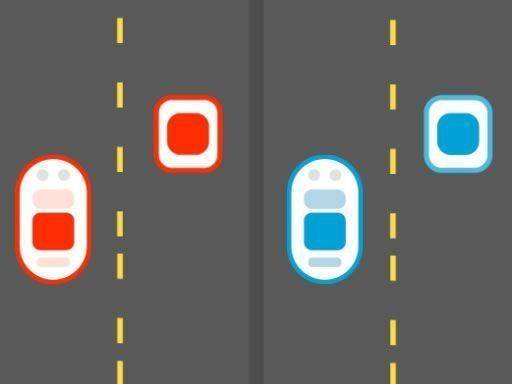
Twin Car Reflex Arcade
Reviews
Twin Car Reflex Arcade offers a unique challenge by requiring you to control two cars simultaneously. The colorful graphics and simple controls make it accessible for all ages. The increasing speed keeps the gameplay engaging without being overwhelming. It is a safe, wholesome choice for family gaming time.
About this game
Game Introduction
Twin Car Reflex Arcade is a reflex-based arcade game that challenges players to control two cars simultaneously. Each car speeds along its own lane, facing unique obstacles such as traffic cones and puddles. The primary objective is to keep both vehicles safe while collecting golden coins for points. The game features a bright and cheerful visual style, making it suitable for players of all ages. As you progress, the speed increases, testing your coordination and focus. This game provides a wholesome and engaging experience that parents can trust.
How to Play
To play Twin Car Reflex Arcade, use simple taps or clicks to make each car jump over obstacles. You must pay attention to both lanes at the same time, as what is clear for one car may be blocked for the other. Maintain a steady rhythm and watch both sides of the screen. Avoid crashes to keep playing longer, as the pace gradually increases. Collect coins that appear to add valuable points to your total score. The challenge lies in managing both cars effectively under pressure.
Game Features
Control two cars at once. Avoid dynamic obstacles such as cones, roadblocks, and puddles. Collect coins for points. Family-friendly and safe for all ages. Speed increases progressively for added challenge. Colorful and engaging visuals enhance the experience.
Tips for Success
Practice regularly to improve your hand-eye coordination and ability to manage two lanes at once. Focus on one car at a time if you feel overwhelmed, but try to shift your attention quickly between both sides. Collect as many coins as possible to maximize your score, but never sacrifice safety for points. Stay calm as the speed increases, and anticipate obstacles before they appear. Taking short breaks can help maintain focus during longer play sessions.


Leave a comment