
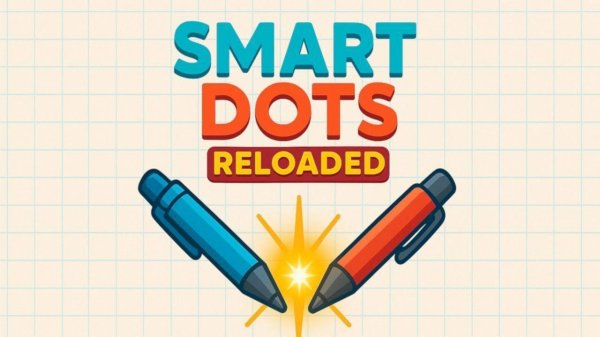
Smart Dots Reloaded Puzzle Game
Reviews
Smart Dots Reloaded offers a polished version of a classic puzzle. The AI provides a fair challenge, and local multiplayer adds replay value. Its simple rules hide a deep strategy, making each match unique. The smooth animations and clean interface make it a relaxing yet engaging brain teaser for all ages.
About this game
Game Introduction
Smart Dots Reloaded Online Puzzle is a modern remake of the classic Dots and Boxes puzzle game, originally popular on Windows 3.1. This strategic puzzle game retains the simple, elegant core that made the original so compelling while wrapping it in a fresh, visually pleasing package with smooth, satisfying animations. Designed for thinkers and strategists of all ages, it offers a perfect blend of straightforward rules and deep tactical possibilities. The core objective is to claim more boxes than your opponent by drawing lines between dots on a grid.
How to Play
Playing Smart Dots Reloaded is simple and intuitive. You and your opponent, either another person or the game's AI, take turns drawing a single line between two adjacent dots on the grid. Your goal is to be the player who completes the fourth side of a square, claiming that box with your color and earning a point. After claiming a box, you get to draw another line, which can lead to clever chain reactions. The game ends when all lines are drawn and every box is claimed. The player with the most boxes at the end wins.
Game Features
Modern visuals and smooth animations enhance the classic gameplay experience. Players can enjoy matches against a smart AI or challenge a friend locally. The game offers simple rules with deep strategic gameplay, making it accessible for all ages. The clean and intuitive interface ensures that anyone can start playing quickly. The game may include multiple grid sizes to vary the challenge, as is typical for this genre.
Tips for Success
To improve your performance in Smart Dots Reloaded, focus on planning several moves ahead. Avoid creating easy opportunities for your opponent to complete a box. When you are forced to give up a box, try to minimize the number of boxes you sacrifice. Practice regularly to recognize common patterns and chain reactions. Playing against the AI on different difficulty levels can help you sharpen your strategic thinking.


Leave a comment